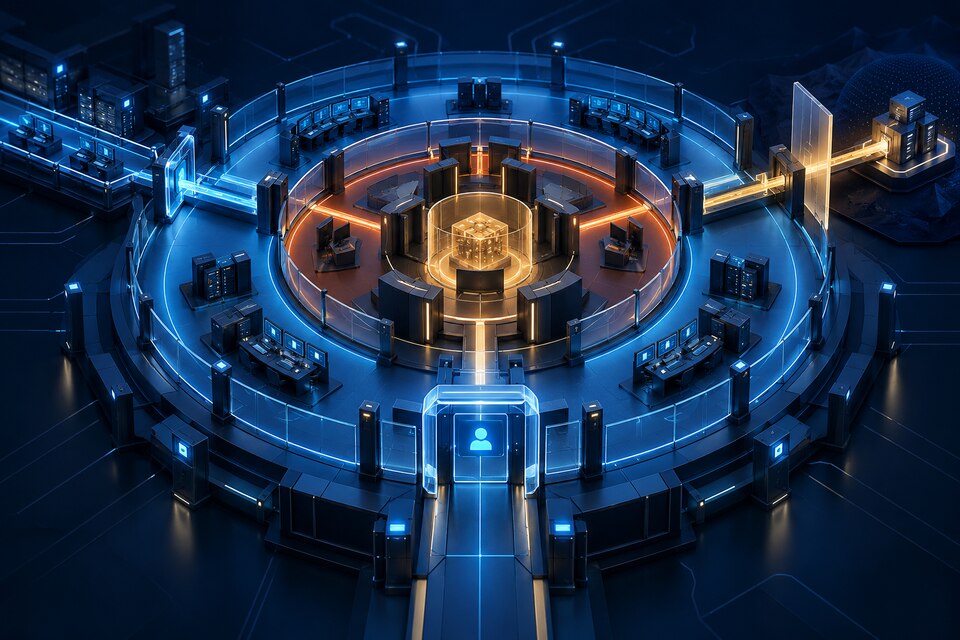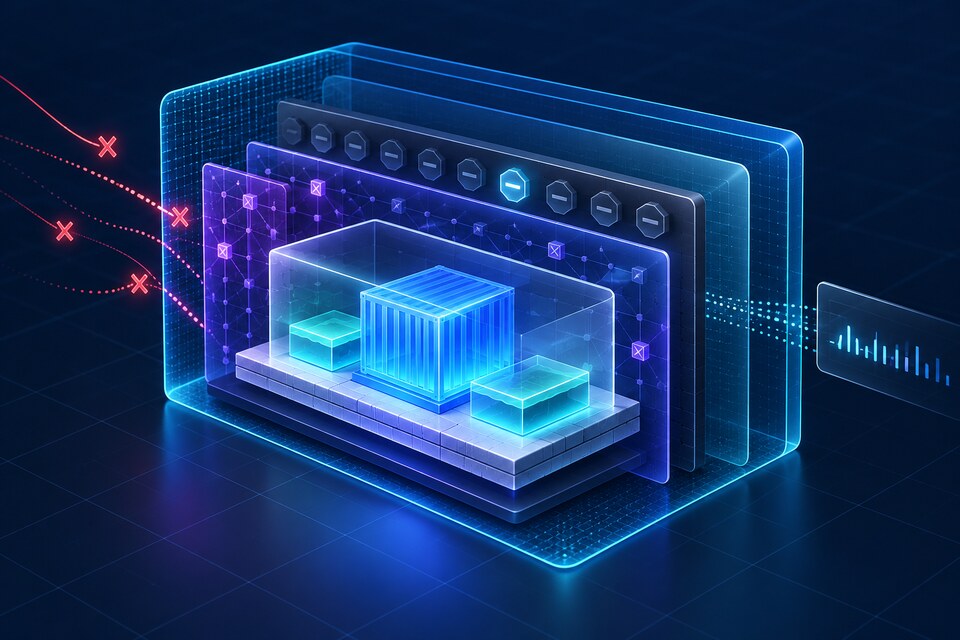
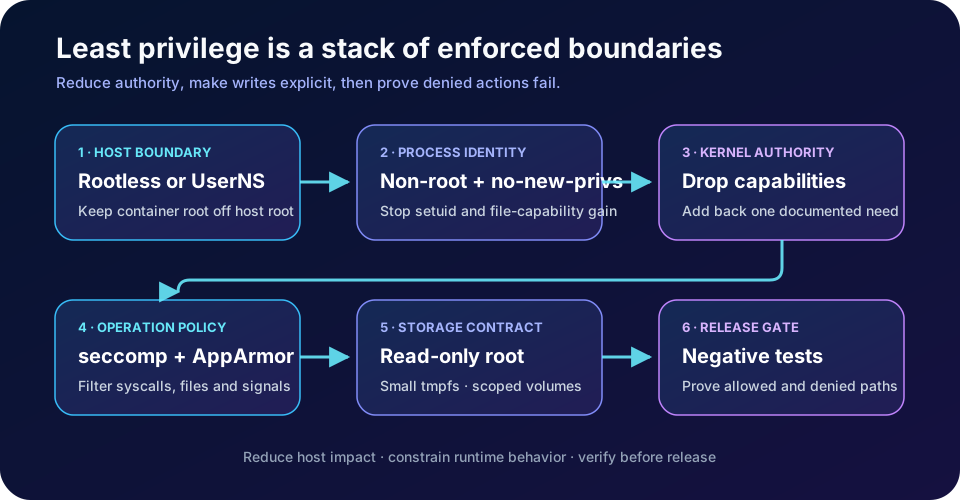
A hardened Docker runtime does not depend on one magic flag. Put the daemon behind the smallest practical host privilege boundary, run the application as a non-root UID, drop every Linux capability the workload does not need, keep Docker's seccomp and AppArmor or SELinux confinement enabled, prevent privilege gain, and make the root filesystem read-only with explicit writable mounts. This defense-in-depth pattern is useful for long-running services and CI workers that execute untrusted inputs; it is not a substitute for a stronger VM or sandbox boundary when the tenant or code is actively hostile.
The official Docker and Linux kernel documentation referenced here was verified on 6 October 2026. Docker documents the controls and their defaults; the threat model, rollout order and verification gates below are engineering recommendations.
Start with the threat model, not a security checklist
Containers share the host kernel. Namespaces isolate views of processes, networks, mounts and users, while cgroups constrain resources; neither turns a container into a separate kernel. Ask what an attacker controls: only request data, a package executed during startup, arbitrary code inside the container, the image, or the Docker API itself. Each step toward operator control requires a stronger boundary.
A public API processing ordinary requests can often use a standard container with a non-root user and the default Docker security profiles. A multi-tenant code runner needs a dedicated node pool and usually a VM or specialized sandbox per trust domain. A container that can reach the Docker socket can instruct the daemon to create host-mounted or privileged containers, so treat that socket as host-level authority rather than a convenient application API.
Choose the daemon boundary: rootless, userns-remap or a VM
Docker rootless mode runs both the daemon and containers without root privileges inside a user namespace. Docker distinguishes it from `userns-remap`, where container IDs are remapped but the daemon still runs as root. Rootless reduces the impact of a daemon or runtime compromise, but requires subordinate UID/GID ranges and changes assumptions around networking, storage, bind mounts and privileged operations.
Docker user namespace remapping maps container root to a high, unprivileged host UID. It is valuable when the application expects UID 0 inside the container but should not be host root. It introduces ownership complexity for host paths, and Docker advises avoiding bind-mount situations that require the remapped user to access resources it cannot safely own.
A practical decision matrix is: use rootless for developer workstations, isolated services and builders that do not need host-level features; use rootful Docker with `userns-remap` when daemon compatibility matters but container root must be de-privileged; use a VM or purpose-built sandbox when code is mutually untrusted, kernel exposure is unacceptable, or required devices and kernel features force broad privileges. Rootless and user namespaces reduce consequences; they do not make the shared kernel disappear.
Make UID and bind-mount ownership explicit
Set a numeric `USER` in the image or a `user` value at runtime, and create application directories with the matching ownership during the build. Numeric identities make the contract visible across minimal images that may not contain the same `/etc/passwd` entries. Avoid falling back to root merely because a bind mount returns `EACCES`; fix the host ownership, use a named volume with an initialization step, or redesign the mount.
Subordinate ID mappings must not overlap. Docker documents that `/etc/subuid` and `/etc/subgid` provide the host ranges used by rootless and remapped containers. Inventory these ranges like an infrastructure resource, verify them after account provisioning, and test backup and restore tools with the mapped ownership. A backup that silently rewrites high host UIDs can make restored volumes inaccessible or, worse, assign data to the wrong trust domain.
Prefer read-only bind mounts for configuration and reference data. Do not mount `/`, `/etc`, the Docker socket, the container runtime socket or broad host directories into an application container. If a workload needs one device, expose only that device with the narrowest access instead of switching to `--privileged`.
Drop capabilities before adding exceptions
Linux capabilities split traditional root authority into narrower powers. Docker keeps a default set for compatibility and lets operators remove or add entries with `--cap-drop` and `--cap-add`. The runtime privilege documentation warns that `--privileged` grants all capabilities, exposes host devices and relaxes AppArmor or SELinux confinement. It is not a debugging shortcut that should reach production.
Begin with `cap_drop: [ALL]`. Run the workload and add back only the capability tied to a documented operation. An HTTP service on port 8080 often needs none. A process that must bind a low port may need `NET_BIND_SERVICE`, although modern hosts and proxies can avoid even that. Never add `SYS_ADMIN` as a generic fix; it covers a broad collection of kernel operations and is a strong signal that the architecture should be reconsidered.
Test the final process tree, including entrypoint scripts, certificate reloaders, health probes and shutdown hooks. A parent may start successfully while a child later fails because it attempts `chown`, opens a raw socket or changes identity. Capture the exact denial, decide whether the operation is essential, then change the smallest layer.
Keep seccomp and the host security module enforcing
Docker's default seccomp profile is an allowlist: calls outside the allowed set return an error. The documentation says it is important to least-privilege operation and advises against disabling it. The default blocks sensitive operations such as loading kernel modules, changing the host clock, creating some namespaces and inspecting other processes.
Do not respond to one `EPERM` by setting `seccomp=unconfined`. Reproduce the failing syscall in staging, check whether the application genuinely needs it, upgrade old libraries when possible, and create a small reviewed exception only when the business function requires it. Version custom profiles with the workload and test them whenever the runtime, base image or architecture changes.
AppArmor or SELinux mediates resources such as files, signals and network behavior beyond the syscall list. Docker's AppArmor guide says containers use the generated `docker-default` profile unless overridden, while privileged containers without an explicit profile may be unconfined. Keep the default enforcing. Build a custom profile from observed needs, validate denials in audit logs, and never ship a broad complain-only policy as if it were protection.
Prevent privilege gain and freeze the root filesystem
Set `no-new-privileges`. The Docker run reference exposes it through `--security-opt`, and the Linux kernel documentation explains that the flag prevents an `execve` transition from granting privileges through setuid, setgid or file capabilities. It complements a non-root UID; it does not replace capability and syscall controls.
Mount the container root filesystem read-only. Then declare exactly where writes are allowed: a named volume for durable application data and small `tmpfs` mounts for `/tmp` or `/run`. Apply `noexec`, `nosuid`, size and mode options where the workload permits. A read-only root turns many persistence attempts and accidental package writes into immediate failures, while explicit writable paths make backup, quota and retention decisions visible.
Do not make `/tmp` an unlimited memory sink. A tmpfs consumes memory and must be included in capacity planning. Keep logs on stdout or a dedicated logging path rather than a writable application root. Secrets should arrive through the platform's secret mechanism or a read-only mount, not be copied into the image or written to a shared volume.
A hardened Compose service
The following baseline uses controls available in Docker Compose and Docker Engine. Adapt the UID, image digest, writable paths, resource limits and healthcheck to the application. Test the exact image you deploy.
services:
  api:
    image: registry.example.com/api@sha256:<reviewed-digest>
    user: "10001:10001"
    read_only: true
    cap_drop:
      - ALL
    security_opt:
      - no-new-privileges:true
      - seccomp=builtin
      - apparmor=docker-default
    tmpfs:
      - /tmp:rw,noexec,nosuid,size=64m,mode=1777
      - /run:rw,noexec,nosuid,size=16m,mode=0755
    volumes:
      - api-data:/var/lib/api
      - ./config:/etc/api:ro
    pids_limit: 256
    mem_limit: 512m
    cpus: 1.0
    stop_grace_period: 30s
    init: true
    healthcheck:
      test: ["CMD", "/app/healthcheck"]
      interval: 30s
      timeout: 3s
      retries: 3

volumes:
  api-data:
`seccomp=builtin` explicitly requests Docker's built-in profile. `apparmor=docker-default` is Linux/AppArmor-specific; use the host's supported LSM and verify it is enforcing. Resource limits do not create a security boundary by themselves, but PID and memory ceilings reduce denial-of-service blast radius. Avoid copying this block to Windows containers or incompatible runtimes without mapping each control to the platform.
Verify the boundary with negative tests
A secure configuration needs tests that prove forbidden actions fail. In a staging host that matches production, confirm the process UID is not zero, the effective capability set is empty or documented, the root filesystem rejects writes, and only declared tmpfs or volume paths accept them. Attempt a setuid transition and verify `no-new-privileges` blocks the gain. Confirm the expected seccomp and AppArmor or SELinux policies appear in `docker inspect` and host audit logs.
Exercise required behavior too: startup, migrations, certificate loading, DNS, outbound TLS, healthchecks, metrics, graceful SIGTERM handling and volume recovery. Security that breaks shutdown can cause data loss; security that is disabled during incidents is not durable. Keep an automated contract test around the image so a later dependency or entrypoint change cannot quietly reintroduce root or require `--privileged`.
Scan and attest the pushed digest, but keep runtime controls separate from image evidence. The related guide on secure Docker builds covers secret mounts, reproducible inputs, SBOM and provenance. Build-time evidence says what the artifact is; runtime confinement limits what it can do after compromise.
Know the limits and rollout safely
Rootless mode is a poor fit when the workload truly needs host device management, kernel modules, host networking behavior or privileged ports that cannot be redesigned. User namespace remapping can complicate existing bind mounts and volume ownership. A custom seccomp or AppArmor policy has ongoing maintenance cost. For a small internal service, non-root execution, no-new-privileges, dropped capabilities, the default profiles and a read-only root may deliver most of the value without a bespoke policy.
Do not place mutually hostile tenants in ordinary containers on one kernel and call rootless a complete isolation strategy. Use dedicated hosts, VMs or a sandbox designed for hostile code. Do not disable the Docker defaults globally to accommodate one legacy workload; isolate that exception, document its owner and expiry, and give it a compensating boundary.
Roll out in layers: observe current writes and capabilities; make the application non-root; add `no-new-privileges`; switch the root filesystem to read-only with explicit writable mounts; drop capabilities; verify default seccomp and the host LSM; then decide whether rootless or user namespace remapping fits the host. Canary on representative traffic and retain a precise rollback, not a blanket privileged mode.
Production decision
The best Docker hardening profile is the smallest set of permissions that still supports the workload's documented behavior. Start from a stronger host boundary, keep the daemon and container root away from host root when practical, deny privilege growth, remove capabilities, retain syscall and LSM confinement, expose only required storage, and test both allowed and denied paths.
Use this pattern for APIs, workers, schedulers and build agents that can operate without host control. Move to a VM or specialized sandbox when the code, tenant or kernel risk exceeds what a shared-kernel container should carry. Connect the runtime baseline to cloud and delivery engineering and Kubernetes rollout contracts so the same least-privilege rules survive orchestration.
Official references
These references document the tools discussed. Examples and design decisions are illustrative and should be adapted to the project and its versions.
Prepared by: Noor Yasser
Working through a similar engineering challenge?
I help teams turn architecture decisions into a clear scope and dependable, reviewable implementation.